
Description
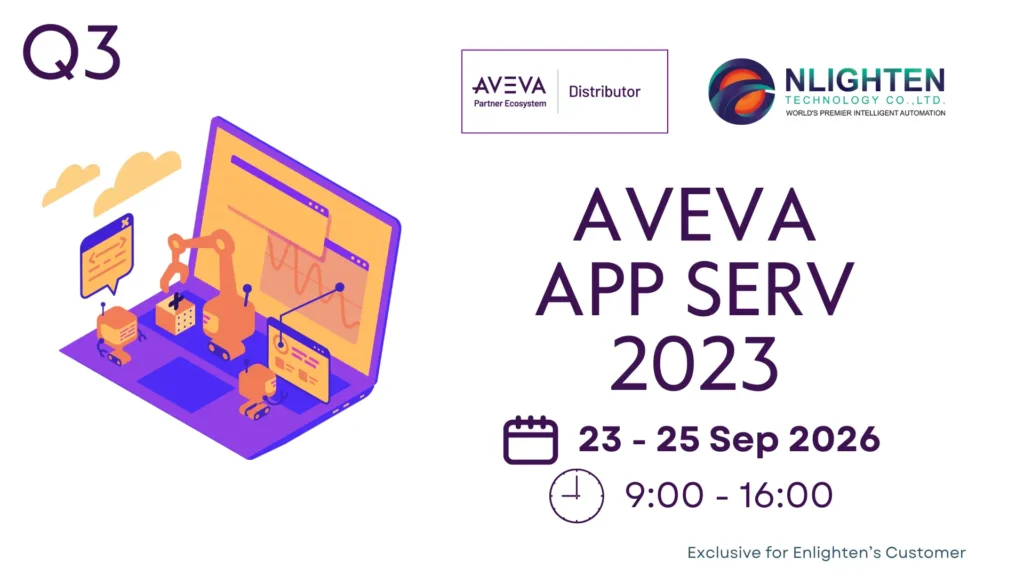
The AVEVA™ Application Server 2023 Instructor-Led Training course is a 3-day, Thai instructor-led class designed to provide an overview of the features and functionality of Application Server. This course provides lectures and hands-on labs to supply and reinforce the knowledge necessary to use these features and functions for plant modeling.
The class demonstrates how to use Application Server technology to connect to field devices, process data, run scripts, handle alarms, and historize alarms and events. This course also provides a fundamental understanding of application maintenance, real-time alarm recording, security settings, and describes how to set up redundancy for data acquisition.
Objectives
Upon completion of this course, you will be able to:
- Create a new application
- Model the plant floor
- Employ rapid prototyping using a data simulator
- Acquire data from field devices
- Configure data communication redundancy
- Work with alarm and history configurations in an application
- Maintain application functionality using import and export
- Define the security model for an application
- Apply Application Engine redundancy capabilities
- Implement .NET Scripting to enhance application functionality
- Back up and restore an application
Outline
Module 1 – Introduction
- Section 1 – Course Introduction
- This section describes the course and its objectives, intended audience, prerequisites, and agenda.
- Section 2 – AVEVA™ System Platform Overview
- This section describes fundamental concepts about AVEVA™ System Platform, including its clients, components, and services. It also introduces the ArchestrA technology.
- Section 3 – AVEVA™ Application Server Overview
- This section describes AVEVA™ Application Server and its components and discusses what a Galaxy is and how to create one.
- Section 4 – The Integrated Development Environment (IDE)
- This section describes the Integrated Development Environment (IDE), including the layout, its key functions, toolboxes and how to create them, and the application views available.
- Section 5 – Automation Objects
- This section describes automation objects, templates, and instances. It discusses the Object Editor, explains the different states of automation objects and operations when editing objects, and gives a brief explanation of Object Wizards.
- Section 6 – System Requirements and Licensing
- This section describes the System Platform computer roles, the software and hardware requirements for AVEVA™ Application Server, the AVEVA Network Account, and how the product is secured and licensed.
Module 2 – Application Planning
- Section 1 – AVEVA™ Application Server Project Workflow
- This section describes the suggested project workflow.
- Section 2 – Case Study
- This section describes the simulated manufacturing environment to be used for the course and explains the naming conventions used in the simulated process.
Module 3 – Application Infrastructure
- Section 1 – The Plant Model
- This section describes the importance of the plant model and explains the usage of area objects and the Model view in the IDE.
- Section 2 – The Deployment Model
- This section describes the Deployment view of the IDE, discusses the hosting relationship between objects, explains the usage of the $WinPlatform and $AppEngine objects, and describes the Deployment options.
- Section 3 – Operation Control Management Console
- This section describes the overall functionality of the Operation Control Management Console (OCMC). It explains how to back up and restore using the Galaxy Database manager and includes how to create a new Galaxy from a backup file. It discusses how to use the AVEVA Logger and Log viewer and explains how to use Platform Manager.
- Section 4 – The Runtime Environment
- This section describes the runtime environment of the Galaxy, explains communication between automation objects’ attribute references, and introduces Object Viewer and Platform Manager tools.
- Section 5 – Data Simulation
- This section describes the OI Simulation Server and explains the configuration of an $OPCClient to the OI.SIM.
Module 4 – Application Objects
- Section 1 – Introduction to Application Objects
- This section describes the application objects in the Galaxy, discusses the basic configuration of the $UserDefined object, and explains the limitation of other application types as they relate to Object Wizards and Autobind.
- Section 2 – Object Attributes
- This section describes the Attributes tab and the features of an attribute. It also discusses the configuration options available for application objects, including automatic and manual I/O binding capabilities.
- Section 3 – Change Control and Propagation
- This section describes attribute locking and unlocking. It also discusses how template changes can propagate to previously derived objects.
- Section 4 – Containment
- This section describes containment with templates and application objects and explains different modeling approaches. It also discusses the naming conventions of contained objects.
Module 5 – Device Integration
- Section 1 – Device Integration Servers
- This section describes available servers, discusses OI servers, explains the configuration of an OI Server to a Controller, and describes how to back up the OI sever configuration.
- Section 2 – Device Integration Objects
- This section describes DI objects, explains the configuration of a DI object to an OI Server, and discusses how to monitor the connectivity of a DI object in Object Viewer.
- Section 3 – Connecting Application Objects to Field Data
- This section describes how to change the data source for objects using the autobind capabilities of application objects.
Module 6 – History
- Section 1 – Historizing Data for AVEVA™ Application Server
- This section describes how Historian historizes data. It explains how to configure engines and platforms for historization and describes how to configure objects to historize attributes. It also discusses how to retrieve historical data with the AVEVA™ Historian Client Web.
Module 7 – Alarms and Events
- Section 1 – Alarms and Events Overview
- This section describes alarms and events. It explains alarms and events reporting of objects through areas, the alarm options for attributes, and how to monitor alarm attributes and states with Object Viewer. It discusses the historization of alarms and events with Historian, as well as how to retrieve alarm history from SQL Server.
Module 8 – Object Management
- Section 1 – Object Export and Import
- This section describes how to export and import objects from and to a Galaxy. It also explains how to upgrade objects to new versions or revert to previous configurations.
- Section 2 – Export Selected as CSV and Import from CSV
- This section describes how to use the Export Selected as CSV and Import from CSV features of the IDE. It explains how to use these features to modify and create instances of objects.
Module 9 – Security
- Section 1 – Security Overview
- This section describes how AVEVA™ Application Server handles security. It discusses the security models available in the IDE and describes how to configure general security permissions and operational permissions.
- Section 2 – Object Security
- This section describes the security classifications for object attributes and discusses the security audit trail.
Module 10 – Application Redundancy
- Section 1 – Application Redundancy
- This section provides an understanding of the terminology, topology, and concepts of application redundancy and how it should be configured.
- Section 2 – Device Integration Redundancy
- This section describes DI redundancy and explains how to configure a Redundant DI Object.
Module 11 – Introduction to QuickScript.NET
- Section 1 – Introduction to Scripting
- This section describes the scripting environment and basic scripting syntax. It also discusses the execution types and triggers.
- Section 2 – Variables and Control Statements
- This section describes the usage of variables and control statements in a script.
Module 12 – Galaxy Backup and Restore
- Section 1 – Galaxy Backup and Restore
- This section explains how to back up and restore operations using the Galaxy Database manager in the SMC. It includes a discussion on how to create a new Galaxy from a backup file.
Prerequisites
Knowledge of the following tools, features, and technologies is required:
- Industrial automation software concepts
Audience
Individuals who need to configure or modify Application Server applications
*Remarks:
สถานที่: Enlighten Technology – https://maps.app.goo.gl/z9YizQ9gfqhbpfz1A
*เงื่อนไขการยืนยันการ Training: การจัด training จะได้รับการยืนยันภายใน 14 วันก่อนวันเริ่ม Training โดยขึ้นอยู่กับจำนวนผู้ลงทะเบียนขั้นต่ำที่กำหนด หาก training ถูกยกเลิก ทางทีมจะแจ้งให้ทราบทางอีเมลที่ลงทะเบียนไว้
*การแจ้งเตือนและยืนยันรอบสุดท้าย: ผู้ลงทะเบียนจะได้รับอีเมล Reminder และ Final Confirmation 3 วันก่อนวันเริ่ม Training กรุณาตรวจสอบอีเมลและยืนยันการเข้าร่วมภายในเวลาที่กำหนด
Registration Link: AVEVA™ Application Server 2023 (Mix), 23-25 Sep 2026
A post on Microsoft Forms provided by: forms.office.com